
Blogs

Hidden ARK Survival Evolved Maps Features Nobody Shares
December 31, 2025
Top 10 IT Conferences for CIOs in 2026
January 2, 2026
on
What Is SFTP Port? Complete Answer + Best Practices
Secure file transfer is a critical requirement for modern businesses, developers, and system administrators. One of the most common questions people ask is: What is an SFTP port? And why does it matter for security? In this guide, you will find a comprehensive, beginner-to-advanced explanation of the SFTP port, including its operation, differences from FTP/FTPS, and best practices for secure configuration.
Secure file transfer is a critical requirement for modern businesses, developers, and system administrators. One of the most common questions people ask is: What is an SFTP port? And why does it matter for security? In this guide, you will find a comprehensive, beginner-to-advanced explanation of the SFTP port, including its operation, differences from FTP/FTPS, and best practices for secure configuration.
Table of Contents
- Key Takeaways:
- What Does SFTP Stand For?
- What Is the SFTP Port Number?
- How Does SFTP Work?
- Why Is Port 22 Important for SFTP?
- SFTP Ports: Can You Use Other Ports?
- Is SFTP Encrypted?
- SFTP vs FTPS (FTP over SSL)
- SFTP vs SCP vs SSH
- Common SFTP Commands (Windows, Linux, and macOS)
- Can You Transfer ZIP or Movie Files via SFTP?
- Common SFTP Errors and Their Causes
- Best Practices for SFTP Port Security
- SFTP vs API vs MFT
- Summary
Key Takeaways:
- SFTP uses port 22 by default (same as SSH)
- SFTP encrypts all data, commands, and authentication
- Unlike FTP, SFTP uses only one port, making it firewall-friendly
- SSH keys are more secure than passwords for SFTP authentication
- You can change SFTP to custom ports (2222, 8022) to reduce bot attacks
- SFTP is superior to FTP and simpler than FTPS for modern applications
What Does SFTP Stand For?
SFTP stands for SSH File Transfer Protocol. Despite the name’s similarity, SFTP is not an extension of FTP.
Instead:
- SFTP runs entirely over SSH
- It uses strong encryption
- It provides secure authentication, file transfer, and management
This is why SFTP is widely used for cloud SFTP, SFTP hosting, enterprise data exchange, and regulated industries.
What Is the SFTP Port Number?
The standard SFTP port number is:
SFTP port 22
Port 22 is the default port used by SSH (Secure Shell). Since SFTP is a subsystem of SSH, it automatically uses the same port unless manually changed.
Key Points:
- Default SFTP port: 22
- Protocol: SSH
- Encryption: Yes
- Authentication: Passwords, SSH keys, or certificates
When someone refers to the SFTP port, they almost always mean port 22. To learn more about how different protocols utilize specific ports, refer to our guide on the HTTPS port.
How Does SFTP Work?
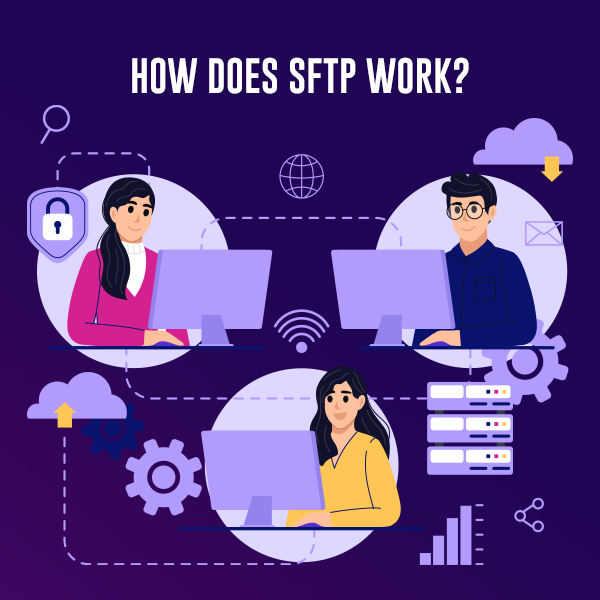
Understanding how SFTP works helps explain why the port is important.
- A client connects to an SFTP server using port 22
- SSH establishes an encrypted tunnel
- User authentication occurs (password or SFTP public key)
- Files are transferred securely inside the tunnel
Unlike FTP, SFTP:
- Uses one port only
- Encrypts both commands and data
- Avoids firewall and NAT issues
If you’re new to SSH connections, learn how to connect to your VPS using SSH for a complete walkthrough.
Why Is Port 22 Important for SFTP?
The SFTP protocol port 22 is important because:
- Firewalls must explicitly allow it
- Security teams monitor it for intrusion attempts
- Changing it can reduce automated attacks
Many administrators move SFTP to a custom port (for example, 2222 or 8022) to reduce brute-force SSH scans.
SFTP Ports: Can You Use Other Ports?
Yes. SFTP port 22 is standard; you can configure SFTP to run on another port.
Common Alternative SFTP Ports:
- 2222
- 8022
- 2200
Changing ports does not increase encryption, but it does reduce noise from bots targeting default SSH ports.
Is SFTP Encrypted?
Yes, SFTP encryption is mandatory.
SFTP provides:
- Encrypted authentication
- Encrypted file contents
- Encrypted file names and metadata
To ensure your encryption setup is properly configured, you may need to install OpenSSL on Windows for certificate management.
SFTP vs FTP: What is the Difference?
FTP vs SFTP
| Feature | FTP | SFTP |
| Encryption | No | Yes |
| Ports | Multiple | Single (22) |
| Authentication | Plain text | Encrypted |
| Firewall-friendly | No | Yes |
FTP sends usernames, passwords, and files in plain text, making it an insecure method.
SFTP vs FTPS (FTP over SSL)
SFTP vs FTPS
| Feature | SFTP | FTPS |
| Based on | SSH | SSL/TLS |
| Default Port | 22 | 21 |
| Firewall Complexity | Low | High |
| Certificates | Optional | Required |
| Popular Use | Cloud, DevOps | Legacy systems |
When choosing SFTP or FTPS, most modern environments prefer SFTP due to simplicity and reliability.
SFTP vs SCP vs SSH
- SSH: Secure remote login
- SCP: Simple file copy (older, limited)
- SFTP: Full file management (upload, download, rename, delete)
In the SCP vs SFTP debate, SFTP wins for automation and advanced workflows. However, SCP remains useful for quick file transfers learn more about SCP command usage and syntax.

Common SFTP Commands (Windows, Linux, and macOS)
Linux / macOS Terminal SFTP Commands
sftp user@server
Common commands:
- put file.txt → upload file
- get file.txt → download file
- ls, cd, pwd
- rename old new (sftp_client.rename equivalent)
- get -r folder (sftp get directory)
Windows SFTP
- Built-in via OpenSSH
- PowerShell SFTP support
- Tools like PuTTY SFTP, FileZilla SFTP, WinSCP
Can You Transfer ZIP or Movie Files via SFTP?
Yes. SFTP has no file type restrictions. Large files are commonly transferred using SFTP in media, backups, and data pipelines.
Common SFTP Errors and Their Causes
net_sftp status. got packet type: 105
Usually caused by:
- Incompatible SSH versions
- Incorrect subsystem configuration
- Server not properly configured for SFTP
SFTP permission denied
Causes:
- Incorrect folder permissions
- Chroot jail restrictions
- Wrong user ownership
If you encounter authentication issues, our guide on troubleshooting SSH permission denied publickey error can help resolve common problems.
Best Practices for SFTP Port Security
1. Use SSH Keys Instead of Passwords
- Disable password login
- Enable SFTP SSH key authentication
Setting up SSH keys is crucial for security. Follow our comprehensive guide on why you should setup SSH keys to protect your server access.
2. Restrict Firewall Rules
- Allow port 22 only from trusted IPs
- Block global access if possible
3. Use Chroot Jails
- Prevent users from accessing the full filesystem
- Limit access to specific SFTP folders
4. Monitor Logs
- Watch out for brute-force attempts
- Set alerts for failed logins
5. Consider Managed or Cloud SFTP
Services like cloud-based SFTP, SFTP as a service, or platforms such as Globalscape SFTP, GoAnywhere SFTP, or SolarWinds SFTP reduce operational risk.
SFTP vs API vs MFT
- SFTP vs API: SFTP is file-based; APIs are transactional
- MFT vs SFTP: MFT includes governance, auditing, and automation
- AS2 vs SFTP: AS2 is popular in Electronic Data Interchange; SFTP is simpler
For most use cases, SFTP hosting strikes the best balance of security and simplicity.

Summary
Let’s sum it all up,
- SFTP port number: 22
- Protocol: SSH File Transfer Protocol
- Encrypted: Yes
- Industry standard: Yes
The SFTP port plays a vital role in secure data exchange. Whether you are configuring Linux SFTP command, Mac SFTP client, Python SFTP, or enterprise cloud SFTP, understanding port 22 and following best practices ensures safe, reliable file transfers. If security, simplicity, and compatibility matter, SFTP on port 22 remains the gold standard.
Did this article help you in understanding the SFTP port? Share your feedback with us in the comments section below.

Featured Post

Best Dedicated Server Guide for Maximum Performance in 2026
A dedicated server gives you an entire physical server with 100% exclusive resources, no sharing CPU, RAM, or storage with anyone else. It is the best […]

saad ullah
March 30, 2026
How To Fix a DNS Server Not Responding? Fix It Fast Today
Table of Contents Key Takeaways: What is a DNS Server? What Does “DNS Server Not Responding” Mean? Common Causes of DNS Server Not Responding 1. Network […]
saad ullah
March 27, 2026
Linux Mint vs Ubuntu: 10 Ultimate Comparison Points
Table of Contents Key Takeaways: Understanding Ubuntu Linux and Mint Linux Linux Mint vs Ubuntu: Are Linux and Ubuntu the Same? Linux Mint vs Ubuntu: Core […]
saad ullah
March 11, 2026





