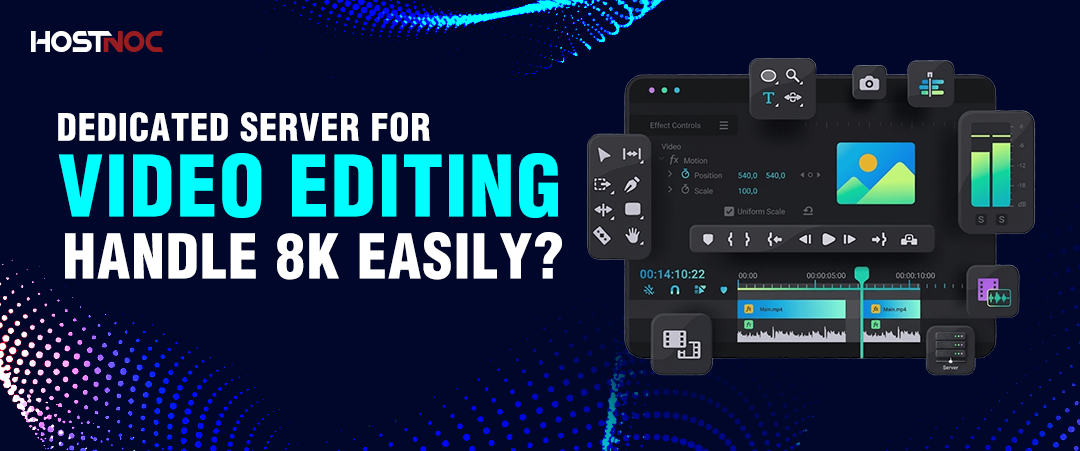
Dedicated Server for Video Editing: Handle 8K easily?
A dedicated server for video editing is one of the best solutions for teams asking:
Can I use a dedicated server for video editing?
What’s the best server for 4K video editing?
NAS vs dedicated server for editing, which is better?
Yes, a video editing server gives your team full control over performance, storage, and collaboration without the bottlenecks of local machines.
It provides exclusive access to high-performance hardware built to handle 4K, 6K, and 8K workflows without storage limits, processing delays, or collaboration issues.
A dedicated server for video editing is one of the best solutions for teams asking:
- Can I use a dedicated server for video editing?
- What’s the best server for 4K video editing?
- NAS vs dedicated server for editing, which is better?
Yes, a video editing server gives your team full control over performance, storage, and collaboration without the bottlenecks of local machines.
It provides exclusive access to high-performance hardware built to handle 4K, 6K, and 8K workflows without storage limits, processing delays, or collaboration issues.
Key Takeaways:
- A video editing server gives 100% CPU, RAM, and storage to one team, with no shared performance loss.
- NVMe storage is 5–7x faster than SATA, reducing render times significantly
- Shared storage eliminates duplicate files and saves 30–50% storage space
- Supports real-time multi-user collaboration without version conflicts
- Scales from small setups to multi-petabyte storage environments
- Built-in backup (RAID + snapshots + replication) protects all assets
What is a Dedicated Server for Video Editing?
A dedicated video editing server is a physical machine used by one team to store media, run editing software, render projects, and enable collaboration from a centralized system.
It replaces local workstations and NAS setups by providing:
- Shared storage
- Dedicated computing power
- Multi-user access
- Automated backups
This solves the 3 biggest problems in post-production:
- Storage limits
- Slow rendering
- Collaboration inefficiencies
This dedicated server guide helps you understand how such infrastructure improves video editing workflows and performance.

Do Video Editors Need a Dedicated Server?
You need a dedicated server if you’re working in 4K+ with multiple editors or handling large media files daily.
Best use cases:
- Teams with 3+ editors
- Studios working in 4K, 6K, or 8K
- Projects with large raw footage (TBs per shoot)
- Remote or distributed teams
Freelancers or solo editors can still rely on high-end workstations.
Why Do Video Editors Use Dedicated Servers?
1. High-Performance Video Processing
Dedicated servers eliminate lag, dropped frames, and render delays by allocating full resources to editing tasks.
They enable:
- Real-time 4K/8K playback
- Faster rendering and exports
- Smooth VFX and color grading
Example: NVMe drives reduce render times by up to 60% in 4K workflows.
2. Centralized Storage for Large Media Files
A video editing server stores all media in one place, removing duplication and storage waste.
Instead of copying files across systems:
- Editors access the same media pool
- No version conflicts
- No redundant storage
Example:
1 hour of 8K footage ≈ 1TB
10-day shoot = multiple TBs → impossible on local drives
3. Multi-User Collaboration Without Conflicts
Multiple editors can work on the same project simultaneously without duplicating files.
Tools like:
- DaVinci Resolve (shared database)
- Avid workflows
- Adobe Team Projects
Works best when backed by a centralized server.
4. Scalability for Growing Projects
Video editing servers scale storage and performance without replacing the system.
Two scaling methods:
- Add more drives (horizontal)
- Upgrade to larger drives (vertical)
Supports tiered storage:
- NVMe → active editing
- SSD → exports
- HDD → archives
5. All-in-One Infrastructure
A single server can act as:
- File server
- Render server
- Media delivery system
- Internal web server
This replaces multiple machines and reduces costs.
6. Automated Backup and Data Protection
Video editing servers automate backups, removing human error.
Includes:
- RAID redundancy
- Scheduled snapshots
- Off-site replication
Ensures zero data loss even during hardware failure.
Dedicated Server vs Local Workstation (Which Should You Choose?)
Use a workstation for solo work, but a server for teams and large projects.
| Scenario |
Best Choice |
| Freelancer / solo editor | Workstation |
| Small team (2–3 users) | NAS (basic) |
| Growing team/agency | Dedicated server |
| Large studio/production house | Dedicated server + render farm |
NAS vs Dedicated Server for Video Editing
NAS is good for storage only, while a dedicated server provides both storage and processing power.
|
Feature |
Dedicated Server |
NAS |
| Rendering | ✅ Yes | ❌ No |
| Software support | Full | Limited |
| Speed | NVMe (up to 7000 MB/s) | Much slower |
| Collaboration tools | Full support | Limited |
For 4K+ editing with teams → Dedicated server wins.

What Server Specs Do You Need for Video Editing?
For 4K editing, you need at least a 16-core CPU, 64GB RAM, NVMe storage, and 10GbE networking.
Recommended Specs:
- CPU: 16+ cores (Xeon / EPYC)
- RAM:
- 64GB (4K editing)
- 128GB+ (8K / VFX)
- Storage: NVMe SSD (RAID 10)
- Archive: SATA HDD
- Network: 10GbE
How Much RAM Do You Need for a Video Editing Server?
- 64GB → standard 4K workflows
- 128GB+ → 6K/8K, heavy VFX, multi-user setups
More users = more RAM required.
What Is the Best Storage for Video Editing?
NVMe SSD is best for active editing, while HDD is best for archives.
| Storage Type |
Best For |
| NVMe SSD | Editing, grading |
| SATA SSD | Exports |
| HDD | Long-term storage |
NVMe is critical for performance, especially when understanding HDD vs SSD dedicated servers for different workload requirements.
Do You Need 10GbE for Video Editing?
Yes, if multiple users are editing high-resolution footage simultaneously.
Without 10GbE:
- Bottlenecks occur
- Playback stutters
- Collaboration slows down

Can Premiere Pro Run on a Server?
Yes, Adobe Premiere Pro works with server-based shared storage.
It supports:
- Team Projects
- Shared media access
- Multi-user workflows
Works best when paired with a centralized media server.
Best Software for Video Editing Servers
- DaVinci Resolve Studio → collaborative editing + database
- Avid Media Composer → enterprise workflows
- Adobe Premiere Pro → team-based editing
- Nuke Studio → VFX pipelines
HostNoc Dedicated Servers for Video Production
If you’re looking for production-ready dedicated servers for video editing with NVMe storage, high RAM configurations, and reliable uptime, HostNoc offers dedicated servers built specifically for high-performance workloads.
They say the perfect server doesn’t exist… until now. Meet Hostnoc Gaming Server!
Cores
RAM
Storage
Location
Monthly Price
Link
No products found.
Conclusion
If your workflow is limited by storage, rendering speed, or collaboration issues, you need a video editing server.
Choose based on your situation:
- Solo editor → Workstation
- Small team → NAS (temporary)
- Growing studio → Dedicated server
- Large production → Dedicated + render farm
A dedicated server removes bottlenecks and scales with your production needs.
Frequently Asked Questions About Dedicated Server for Video Editing

What is a dedicated server for video editing?
A dedicated server for video editing is a physical machine reserved exclusively for one production team, providing centralized media storage, shared project access, rendering compute, and automated backup for all editors, colorists, and motion designers working on the same project.
Is a dedicated server better than a NAS for video editing?
Yes, for teams editing 4K and above with 3 or more simultaneous users. A NAS provides shared file storage but lacks the processing power to run render engines, database servers, or collaboration software. A dedicated server delivers both storage and compute in a single infrastructure investment.
What server specs are needed for 4K video editing?
A 4K video editing server requires a minimum of a 16-core processor, 64GB ECC RAM, NVMe SSD storage in RAID 10, and a 10GbE network interface. Higher resolutions and larger teams benefit from 128GB RAM and expanded NVMe storage pools.
Can multiple editors work on the same server simultaneously?
Yes. DaVinci Resolve Studio, Avid Media Composer, and Adobe Premiere Pro all support multi-user workflows backed by dedicated server shared storage. Each editor accesses the same media pool concurrently without creating file copies or causing version conflicts.
How much storage does a video editing server need?
A production studio handling daily 4K shoots needs a minimum of 50TB of usable storage, accounting for raw footage, proxy files, project files, renders, and exports. Studios working in 6K or 8K or retaining multi-year archives benefit from tiered storage architectures separating active NVMe pools from high-capacity SATA HDD archives.
Does a dedicated server improve render times?
Yes. Dedicated CPU and GPU allocation without contention from other users or background processes reduces render times compared to shared infrastructure. NVMe storage further accelerates render pipelines by eliminating I/O bottlenecks during frame reads and writes.
How does a dedicated server handle backup for video production?
A dedicated server automates backup through 3 mechanisms: RAID drive mirroring for real-time hardware redundancy, scheduled snapshot backups at configurable intervals, and off-site replication to a geographically separate storage node. This removes manual backup dependency from individual team members.
What is the difference between a render farm and a dedicated server for video editing?
A render farm is a cluster of multiple servers distributing rendering jobs in parallel. A dedicated server is a single machine handling storage, collaboration, and rendering for a team. Small to mid-size studios typically start with a dedicated server and expand to a render farm architecture as project volume and team size increase.

Featured Post

7 Server Trends You Cannot Afford to Ignore in 2027
Server infrastructure is entering a new phase. The conversation is no longer...

Dedicated Server for Agencies: A Complete Guide
Agencies today manage multiple client websites, applications, and...
Does Borderlands 3 Have Dedicated Servers?
No. Borderlands 3 does not use dedicated servers. Multi player gaming sessions...

Follow us on:


Get the Latest News & Deals
Sign up to receive the latest news, updates and special offers from HostNOC.
I'd like to receive: