
Blogs
Aternos Terraria Server Hosting: Powerful 3 Hosting Options
November 7, 2024
7 Technologies That Will Disrupt Businesses In 2025
November 13, 2024
on
Best Rust Server Hosting: Setup Guide & Install Tips
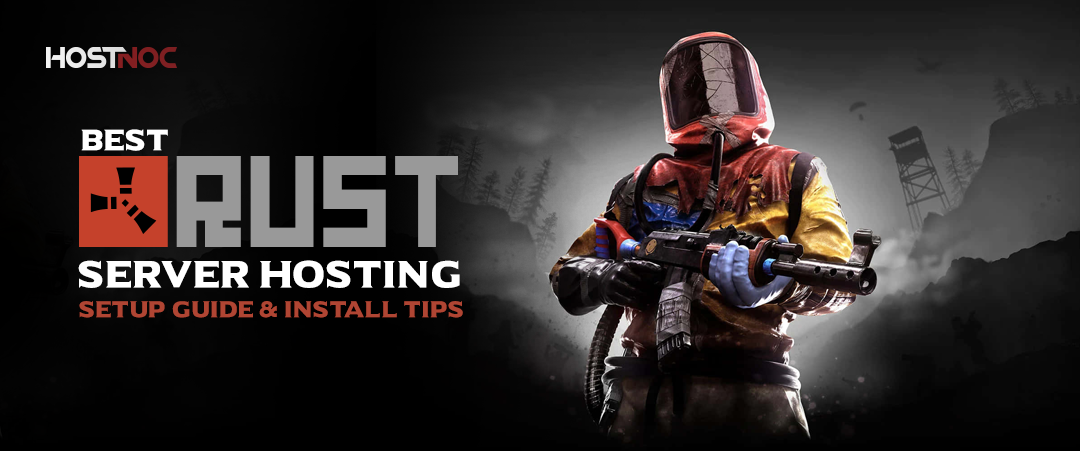
If you are passionate about survival games, then you probably know about Rust, a popular multiplayer game that challenges players to survive in a hostile environment. Rust Server Hosting Are opened up a world of possibilities, allowing you to create custom settings, mods and gameplay rules. Whether you are considering Rust server hosting or looking for the best Rust dedicated servers, this guide will walk you through everything you need to know.
If you love survival games, you have probably heard of Rust, the intense multiplayer experience where players must gather resources, build bases, and survive against both nature and other players.
But to truly control your gaming experience, you need your own Rust server hosting setup.
Hosting your own Rust server gives you full control over gameplay rules, mods, and performance. Whether you want to play privately with friends or build a large community, this guide covers everything from setup and hosting options to performance and promotion tips.
Table of Contents
What Is Rust Server Hosting?
Rust server hosting allows players to create custom multiplayer environments, giving full control over game settings, mods, and security. Instead of relying on public servers, you can rent or host your own Rust game server to ensure better stability, speed, and privacy.
With a Rust server host, you can adjust rules, enable mods, manage users, and even experiment with custom worlds all while ensuring low latency and smooth gameplay.
For players who want professional-grade performance and reliable uptime, HostNoc’s dedicated gaming servers are a great choice for Rust game server hosting, offering complete flexibility and scalability for your multiplayer experience.
Why Choose Dedicated Rust Server Hosting?
Choosing Rust dedicated server hosting means you get full control and reliability. Here’s why it stands out:
- 24/7 Uptime – Your server runs constantly without needing your PC on.
- Low Latency – High-speed connectivity ensures minimal lag during gameplay.
- Custom Mods – Install community mods and adjust game mechanics freely.
- Player Control – Manage bans, permissions, and backups easily.
The best Rust server hosting providers, like HostNoc, give you top-tier infrastructure and DDoS protection for smooth gameplay. You can even rent a Rust server for smooth gameplay if you want a hassle-free setup that performs consistently.
If you are curious about the backbone of online game infrastructure and how servers power multiplayer experiences, read more here: What is a gaming server?

How to Host a Rust Server (Step-by-Step)
If you’re wondering how to host a Rust server, follow these steps to get started.
1. Choose Your Hosting Method
You can either host Rust server locally on your own PC or rent one from a professional Rust server provider like HostNoc.
Self-hosting is cheaper but requires strong hardware and a stable internet connection. Rental hosting is ideal for long-term or public servers.
2. Install Rust Dedicated Server Files
To install Rust dedicated server, download SteamCMD and install the server package using this command:
app_update 258550 validate
Once installed, configure your Rust dedicated server setup using the command line or hosting control panel.
3. Adjust Your Settings
Set the map, player count, difficulty, and admin privileges. Add mods or plugins for enhanced gameplay.
4. Test Server Performance
Run the server and test it with friends. Use a VPS Valheim, like hosting setup or a dedicated server for best performance.
5. Rent Rust Server for Convenience
If setup feels complex, you can rent a Rust server directly from HostNoc. It offers automated setup, maintenance, and updates ideal for those who want to jump straight into gameplay.
You can also explore similar hosting guides, such as:
Rust Server Performance and Cost Guide
When setting up a Rust server, performance is everything. Here’s what to consider:
- RAM & CPU: Rust is resource-heavy; at least 8GB RAM is recommended.
- Bandwidth: A stable, high-speed internet connection reduces lag.
- Storage: Use SSDs for fast load times.
- Location: Choose a nearby server region for lower ping.
The best Rust server hosting should balance cost and performance. HostNoc, as a trusted Rust server hosting provider, offers high-performance servers that ensure reliable uptime and easy scalability.
Hosting Strategies for Streamers and Community Builders
Streamers and content creators often ask, “How can I promote my Rust server?”
Here’s how you can attract players and grow your community:
- Promote on Social Media: Share your server link on Twitch, Discord, Reddit, and gaming groups.
- Offer Events: Host weekly in-game challenges or PvP tournaments.
- Use SEO-Friendly Server Titles: Helps in visibility when players search for top rated Rust servers.
- Add Mods: Mods enhance gameplay, making your Rust game private server more appealing.
If you’re wondering how to get players in my Rust server, consistency and community engagement are key.
Pros and Cons of Rust Hosting Options
Self-Hosting
- ✅ No monthly fees
- ❌ Requires strong hardware and constant monitoring
Dedicated Server Hosting
- ✅ Best performance, full control, 24/7 uptime
- ❌ Monthly cost
Shared Hosting
- ✅ Budget-friendly
- ❌ Limited customization and lower performance
For most players, a dedicated Rust server hosting plan strikes the best balance between flexibility and reliability.
What Is the Best Rust Hosting Server?
The best Rust hosting server depends on what you prioritize performance, cost, or customization.
If you want high-speed connectivity, customizable setups, and reliable support, HostNoc is your go-to choice for Rust hosting in 2025.
Their Rust game server hosting offers:
- One-click setup
- Full mod support
- DDoS protection
- 24/7 monitoring
- Excellent customer support
Explore similar setups with Palworld Server Hosting or The Forest Server Hosting for broader insights into survival game hosting.
Final Thoughts
Hosting a Rust server is your gateway to a truly personalized survival experience.
Whether you’re learning how to buy a Rust server, testing Rust dedicated server hosting, or managing a growing gaming community, choosing a trusted Rust server host like HostNoc ensures your setup runs smoothly.
Ready to level up? Join Hostnoc Gaming Server and experience gaming like never before
Cores
RAM
Storage
Location
Monthly Price
Link
AMD EPYC 9124 3GHz 16c/32t
128 GB DDR4
HardDisk: 2x 480 GB (SSD SATA) & 2x 2 TB (SSD NVMe)
Los Angeles-US
$649.98 /month
Buy Now
[Dual] Xeon Gold 6142 2.6 GHz 16c/32t
256 GB DDR4
HardDisk: 2× 6.33 TB (SSD NVMe)
Los Angeles-US
$969.99 /month
Buy Now
Frequently Asked Questions About Rust Server

What are the advantages of hosting a dedicated Rust server?
Hosting a dedicated Rust server allows for full control over gameplay, custom rules and better performance. It also eliminates lag and potential issues from shared server environments.
How do I rent a Rust server for my game?
Renting a Rust server is simple through various hosting services. You can select the server’s location, hardware specifications and choose between different plans depending on your needs.
Can I host a Rust server on my own PC?
Yes, but it requires a strong CPU, stable internet, and sufficient memory. For long-term play, a hosted solution is recommended.
What are the system requirements for hosting a Rust server?
A Rust server typically requires at least 8GB of RAM and a multi-core processor for optimal performance. For larger servers, 16GB of RAM or more is recommended.
How can I optimize my Rust server for better performance?
Optimize performance by selecting a hosting provider with low-latency connections, using server configuration files to tweak settings and regularly monitoring server performance to ensure smooth gameplay.
How do I promote my Rust server?
Engage on community forums, run events, and use attractive keywords in your server title.
Can I host a private Rust game server?
Absolutely. A Rust game private server allows you to play securely with invited players only.
How do you make a Rust server with mods?
Install uMod or Oxide through your host’s control panel to add custom mods and plugins.

Muhammad Osama
Muhammad Osama a qualified professional with ground-breaking experience in developing SEO campaigns, analytics, and monitoring the ranking in Google search pages. A clear communicator with an experience of digital marketing and improving brand search ranks.
Featured Post
Linux Mint vs Ubuntu: 10 Ultimate Comparison Points
Table of Contents Key Takeaways: Understanding Ubuntu Linux and Mint Linux Linux Mint vs Ubuntu: Are Linux and Ubuntu the Same? Linux Mint vs Ubuntu: Core […]

saad ullah
March 11, 2026
Best GPU for Gaming: 13 Killer Performance Picks
Table of Contents What Is the Best GPU for Gaming in 2026? Key Takeaways: Why Does the GPU Matter More Than Ever? How to Choose the […]
saad ullah
February 19, 2026

What Is a Proxy Server? The Smart Way to Browse in 2026
Table of Contents 5 Key Takeaways: What Is a Proxy Server? How Does a Proxy Server Work? What Does a Proxy Server Do? Proxy Server vs […]
saad ullah
January 30, 2026





