Blogs
Dedicated Servers for Mid-Size Businesses: Everything You Need To Know
January 30, 2026
on
What Is a Proxy Server? The Smart Way to Browse in 2026
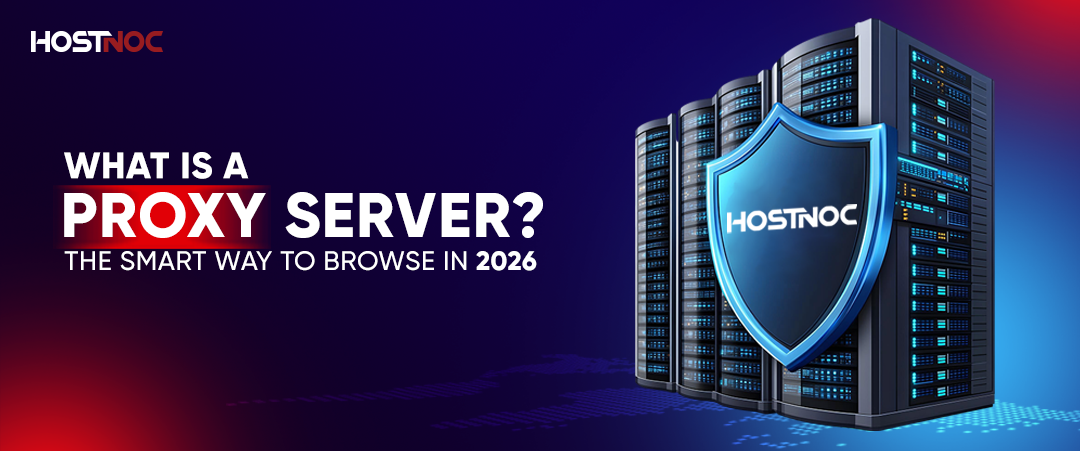
A proxy server is an intermediary computer that sits between your device and the internet, routing your web traffic through itself to hide your IP address, bypass geographic restrictions, and provide additional security controls. According to industry research, over 60% of businesses use proxy servers for security and access control purposes.
Table of Contents
- 5 Key Takeaways
- What Is a Proxy Server?
- How Does a Proxy Server Work?
- What Does a Proxy Server Do?
- Proxy Server vs VPN: Key Differences
- 6 Different Types of Proxy Servers
- How to Use a Proxy Server: Complete Setup Guide
- How to Disable or Disconnect From a Proxy Server
- Common Proxy Server Use Cases
- Proxy Server Security Considerations
- Choosing the Right Proxy Server Provider
- Conclusion
5 Key Takeaways
- Privacy Protection: Proxy servers act as intermediaries between your device and the internet, masking your real IP address and location to enhance online privacy. Research from the Electronic Frontier Foundation (EFF) shows that proper proxy configuration can reduce tracking by up to 75%.
- Access Control & Geo-Unblocking: Proxies enable users to bypass geographic restrictions by routing traffic through servers in different countries. Studies indicate that 43% of proxy users leverage this feature for accessing region-restricted content.
- Multiple Proxy Types: Different proxy types serve specific purposes: web proxies for browsing, mobile proxies using cellular IPs for social media automation, SSL proxies for encrypted traffic inspection, and dedicated proxies offering exclusive bandwidth and IP addresses.
- Simple Configuration: Setting up a proxy requires only entering the proxy address and port number in your device’s network settings, making it accessible even for non-technical users. Configuration typically takes under 2 minutes.
- VPN vs Proxy Trade-offs: While both hide IP addresses, VPNs encrypt all device traffic, offering superior security, whereas proxies typically handle specific applications without full encryption. According to Cybersecurity Ventures, VPNs reduce data breach risk by 5.2 times compared to proxies alone.
A proxy server is essential infrastructure for modern internet privacy, security, and access control. This comprehensive guide explains how proxies work, when to use them, and how to configure them properly for your needs.
What Is a Proxy Server?
A proxy server is an intermediary system that routes your internet traffic through its own IP address instead of yours. It helps hide your real IP, bypass geo-restrictions, control access, and apply basic security filtering, but typically does not encrypt all traffic like a VPN.
How Does a Proxy Server Work?
Understanding the proxy workflow helps clarify its role in your network traffic. Here’s the complete request-response cycle:
- Request Initiation: You send a web request from your device (browser, app, or system) to access a specific resource.
- Proxy Interception: Your configured proxy server intercepts the outbound request before it reaches the Internet.
- Request Processing: The proxy inspects, potentially modifies, and logs the request based on configured rules and policies.
- Forwarding: The proxy forwards the request to the destination server using its own IP address as the source.
- Response Routing: The destination server sends its response back to the proxy server.
- Delivery: The proxy delivers the content back to your device, completing the request cycle.
This architecture provides a control point for traffic inspection, content filtering, and IP masking. Studies by Cisco indicate that enterprise proxy servers can reduce bandwidth consumption by 30-50% through intelligent caching.
What Does a Proxy Server Do?
Proxy servers provide several critical functions for both individual users and organizations:
- IP Address Masking: Hides your real IP address and geographic location from destination websites, enhancing privacy
- Access Control: Blocks or allows access to specific websites based on organizational policies or user preferences
- Content Caching: Stores frequently accessed resources locally to improve load times and reduce bandwidth usage
- Geographic Restriction Bypass: Enables access to region-locked content by routing through servers in permitted locations
- Traffic Monitoring & Logging: Records network activity for security auditing, compliance, and troubleshooting purposes
- Security Enhancement: Acts as an additional security layer by filtering malicious content and preventing direct connections to internal networks
According to research by Gartner, 68% of organizations use proxy servers as part of their layered security approach, particularly for web content filtering and malware prevention.
Proxy Server vs VPN: Key Differences
While proxy servers and Virtual Private Networks (VPNs) both mask your IP address, they differ significantly in scope, security, and use cases:
| Feature | Proxy Server | VPN |
| Traffic Scope | Application-specific (browser, specific apps) | All device traffic |
| Encryption | Generally, none (except SSL proxies) | Full end-to-end encryption |
| Speed | Generally faster (no encryption overhead) | Slightly slower (encryption overhead) |
| Security Level | IP masking only | IP masking + full traffic encryption |
| Best Use Case | Web browsing, geo-unblocking, corporate filtering | Complete privacy, remote work, public WiFi security |
According to Cybersecurity Ventures, VPN adoption has grown by 165% since 2020, while proxy usage remains stable, indicating that users prioritize encryption for sensitive activities but still rely on proxies for specific use cases like geo-unblocking and corporate network management.
Read More About: Proxy Vs VPN: Which One Your Business Should Choose and Why
6 Different Types of Proxy Servers
Proxy servers come in various types, each optimized for specific use cases and protocols:
1. Web Proxy Server (HTTP/HTTPS Proxy)
A web proxy server specifically handles HTTP and HTTPS web traffic. These proxies are the most common type and can be accessed directly through web browsers without requiring software installation. Web proxies are ideal for basic anonymous browsing and accessing geo-restricted websites.
Key Features: Browser-based access, no installation required, suitable for casual browsing
Common Uses: Accessing blocked websites, basic privacy protection, bypassing workplace content filters
2. Smart Proxy Server
Smart proxy servers use intelligent routing algorithms to automatically optimize connection paths based on performance metrics, target requirements, and geographic distribution. These are commonly deployed in data scraping operations and market research applications where efficiency and reliability are paramount.
Key Features: Automatic route optimization, load balancing, performance-based routing
Common Uses: Web scraping at scale, competitive intelligence gathering, price monitoring
3. Mobile Proxy Server
Mobile proxy servers route traffic through mobile carrier networks (3G, 4G, 5G), using IP addresses assigned by cellular providers. These proxies are particularly valuable for social media automation and mobile-app testing because they appear as legitimate mobile devices to target platforms.
Key Features: Cellular network IPs, rotating mobile IPs, high trust scores on mobile platforms
Common Uses: Social media account management, mobile ad verification, app testing, avoiding IP bans on mobile-first platforms
4. SSL Proxy Server
SSL proxy servers specialize in handling encrypted HTTPS traffic. They can decrypt, inspect, and re-encrypt SSL/TLS connections while maintaining encryption integrity. Organizations use SSL proxies for security scanning and policy enforcement on encrypted web traffic.
Key Features: SSL/TLS decryption and re-encryption, deep packet inspection capability, maintains end-to-end encryption
Common Uses: Enterprise security monitoring, malware detection in encrypted traffic, compliance enforcement, data loss prevention
5. SSH Proxy Server (SSH Tunnel)
SSH proxy servers create secure tunnels using the Secure Shell (SSH) protocol. All traffic routed through an SSH proxy is encrypted, making it excellent for secure remote access and protecting data transmission over untrusted networks.
Key Features: Strong encryption via SSH protocol, port forwarding capabilities, and authentication required
Common Uses: Secure remote server access, encrypted file transfers, bypassing firewalls in restrictive networks, database tunneling
Read About: 7 Reasons Why You Should Set Up SSH Keys
6. Dedicated Proxy Server (Private Proxy)
Dedicated proxy servers are reserved exclusively for a single user or organization. Unlike shared proxies, dedicated proxies offer guaranteed bandwidth, superior performance, and enhanced privacy since the IP address isn’t used by multiple parties simultaneously.
Key Features: Exclusive IP assignment, guaranteed bandwidth, and no IP reputation contamination from other users
Common Uses: High-volume web scraping, SEO monitoring, accessing sensitive accounts, e-commerce automation
Research by Proxyway indicates that dedicated proxies can be 40-60% faster than shared alternatives due to guaranteed resources and lower contention ratios.
How to Use a Proxy Server: Complete Setup Guide
Configuring a proxy server is straightforward across all major operating systems and devices. Below are step-by-step instructions for Windows, macOS, mobile devices, and browsers.
How to Set Up a Proxy Server on Windows 11/10
- Open Settings by pressing Win + I or clicking the Start menu → Settings
- Navigate to Network & Internet → Proxy
- Under Manual proxy setup, toggle ‘Use a proxy server’ to ON
- Enter the proxy server address (IP or hostname) in the ‘Address’ field
- Enter the port number (typically 8080, 3128, or provided by your proxy service)
- (Optional) Add addresses that should bypass the proxy in the ‘Use the proxy server except for addresses’ field
- Click Save
Your Windows system will now route all web traffic through the configured proxy server.
How to Configure a Proxy Server on macOS
- Open System Preferences → Network
- Select your active network connection (Wi-Fi or Ethernet)
- Click Advanced → Proxies tab
- Check ‘Web Proxy (HTTP)’ and/or ‘Secure Web Proxy (HTTPS).’
- Enter the proxy server address and port number.
- If authentication is required, check ‘Proxy server requires password’ and enter credentials
- Click OK → Apply
macOS will now route browser traffic through your specified proxy.
How to Use a Proxy on Mobile Devices (iOS & Android)
iPhone/iPad (iOS):
- Open Settings → Wi-Fi
- Tap the (i) icon next to your connected network
- Scroll down to HTTP Proxy → Select Manual
- Enter Server (proxy address) and Port
- Enable Authentication if required, and enter username/password
- Tap Save
Android:
- Open Settings → Network & Internet → Wi-Fi
- Long-press your connected network → Modify Network
- Tap Advanced Options → Proxy → Manual
- Enter Proxy hostname and Proxy port
- Save the configuration
Note that mobile proxy settings typically only affect browser traffic, not all apps. For system-wide coverage, consider using VPN or specialized proxy apps.
How to Disable or Disconnect From a Proxy Server
If you need to stop using a proxy server, follow these quick steps:
Windows:
Settings → Network & Internet → Proxy → Toggle ‘Use a proxy server’ to OFF
macOS:
System Preferences → Network → Advanced → Proxies → Uncheck all proxy protocols → Apply
Mobile:
Wi-Fi settings → Your network → HTTP Proxy → Select ‘Off’ or ‘None’
Browsers (Chrome, Firefox, Edge):
Clear proxy settings in browser preferences or revert to system defaults. Restart your browser to ensure the changes take effect.
Common Proxy Server Use Cases
Organizations and individuals use proxy servers for a variety of legitimate purposes:
- Anonymous Browsing: Protect your identity and location while browsing the web
- Accessing Geo-Restricted Content: Unblock region-locked streaming services, news sites, and online platforms
- Social Media Management: Manage multiple accounts without triggering platform restrictions
- Market Research & Competitive Intelligence: Collect pricing data, monitor competitors, and analyze market trends
- Content Testing: View websites as they appear in different geographic locations
- Enterprise Security: Control and monitor employee internet usage, enforce acceptable use policies
- Bandwidth Optimization: Cache frequently accessed content to reduce bandwidth consumption
- SEO & Web Scraping: Collect search engine rankings and website data at scale without IP bans
According to BrightData research, 52% of Fortune 500 companies use proxy infrastructure for competitive intelligence and market analysis activities.
Proxy Server Security Considerations
While proxies offer privacy benefits, they also introduce security considerations that users should understand:
Risks of Free or Untrusted Proxies
- Data Interception: Malicious proxy operators can intercept and log your traffic, including passwords and sensitive data
- Malware Injection: Compromised proxies may inject advertisements, tracking scripts, or malware into web pages
- IP Address Leaks: Poorly configured proxies might leak your real IP through DNS requests or WebRTC
- Performance Issues: Free proxies are often overcrowded, resulting in slow speeds and unreliable connections
Best Practices for Proxy Security
- Use reputable, paid proxy services with clear privacy policies
- Never enter sensitive credentials (banking, email passwords) when using proxies
- Verify that websites use HTTPS encryption even when proxied
- Test for IP leaks using services like ipleak.net after configuring your proxy
- Consider using VPNs instead of proxies for high-security requirements
Research by the Center for Internet Security (CIS) found that 38% of free proxy servers actively injected tracking code, while 26% logged user credentials. Always prioritize reputable paid services for sensitive activities.
Choosing the Right Proxy Server Provider
When selecting a proxy service, consider these critical factors:
- Performance Metrics: Look for guaranteed uptime (99.9%+), low latency (<100ms), and fast connection speeds
- Geographic Coverage: Ensure the provider offers proxy servers in your target locations
- IP Pool Size: Larger IP pools reduce the risk of detection and IP bans
- Protocol Support: HTTP, HTTPS, SOCKS5 compatibility, depending on your needs
- Authentication & Security: Username/password or IP whitelisting options
- Customer Support: 24/7 technical support and comprehensive documentation
- Transparent Pricing: Clear pricing structure without hidden fees
- Privacy Policy: No-logging policies and data protection compliance
Top-rated proxy providers in 2026 typically offer free trials or money-back guarantees, allowing you to test performance before committing.
Conclusion
Proxy servers remain essential tools for privacy-conscious users, businesses requiring access control, and anyone needing to bypass geographic restrictions. By acting as intermediaries between your device and the internet, proxies provide IP masking, content filtering, and traffic management capabilities that serve countless legitimate use cases.
When choosing between proxy types, whether web proxies for basic anonymity, mobile proxies for social media management, or dedicated proxies for high-performance applications, always prioritize security by selecting reputable providers with clear privacy policies and avoiding free, untrusted services.
As privacy concerns continue to grow and geo-restrictions expand, understanding how proxy servers work and how to configure them properly empowers you to maintain control over your online presence, protect your identity, and access the content you need without unnecessary limitations.
Frequently Asked Questions About Proxy Server

What is a proxy server used for?
A proxy server is used to hide your IP address and location, bypass geographic restrictions on content, improve online privacy and anonymity, control and monitor internet access in organizational settings, cache web content for faster loading times, and filter unwanted websites or malicious content. Proxies serve as intermediaries that can enhance both privacy and security, depending on configuration.
Is a VPN a proxy?
No, a VPN is not a proxy, although both technologies share the capability to mask your IP address. The key difference is scope and security: VPNs encrypt all network traffic from your device and provide comprehensive privacy protection, while proxies typically handle only specific application traffic (like web browsing) without full encryption. VPNs offer stronger security but may be slightly slower due to encryption overhead.
How do I know if I have a proxy server enabled?
Check your device’s network settings under ‘Proxy’ or ‘Network and Internet’ settings. If a proxy address and port are entered and the proxy is toggled on, you’re using a proxy. You can also visit IP checking websites like whatismyip.com or ipleak.net. If the displayed IP address and location don’t match your actual physical location, you’re likely routing through a proxy or VPN.
Should the proxy server be on or off?
This depends entirely on your needs. Turn it ON if you need enhanced privacy, want to access geo-blocked content, bypass censorship, or require organizational network control and monitoring. Turn it OFF for normal direct browsing, when you need maximum connection speed, when accessing services that block proxy traffic (like some banking sites), or when troubleshooting connection issues.
What are the disadvantages of using a proxy?
Proxies can slow down your internet speed (especially free proxies), generally do not encrypt your data (unlike VPNs), may be unreliable with frequent disconnections if using free services, might be blocked by security-conscious websites and streaming platforms, and can potentially leak your real IP address if poorly configured. Additionally, untrustworthy proxy operators could intercept your data and passwords.
How do I set up a proxy server?
Navigate to your device’s Settings menu, go to Network & Internet (Windows) or Network preferences (Mac), click on the Proxy section, enter the proxy server address and port number provided by your proxy service, toggle ‘Use a proxy server’ to ON, and save your settings. The entire process typically takes less than two minutes. Test the connection by visiting an IP checking website to confirm your IP has changed.
How do I remove or disable a proxy server?
Open your network settings, navigate to the Proxy section, toggle ‘Use a proxy server’ to OFF (or select ‘None’ on mobile devices), clear any proxy address and port information from the fields, save your changes, and restart your browser or device to ensure the proxy is fully disconnected. This returns your device to direct internet connectivity.
Can proxies steal passwords and sensitive data?
Yes, malicious or unsecured proxy servers can intercept your internet traffic and capture sensitive data, including passwords, credit card numbers, and personal information, especially on unencrypted HTTP connections. This is why it’s critical to only use trusted, reputable proxy providers with clear privacy policies. Never enter sensitive credentials when using free or unknown proxies, and always ensure websites use HTTPS encryption.
Can I use a proxy server on my smartphone?
Yes, both iOS and Android devices support proxy configuration. On iPhone/iPad, go to Settings → Wi-Fi → tap your network → HTTP Proxy → Manual, then enter the proxy details. On Android, go to Settings → Network & Internet → Wi-Fi → long-press your network → Modify → Advanced → Proxy → Manual. Note that mobile proxy settings typically only affect browser traffic, not all apps.
How do I make my IP address invisible or anonymous?
Use a VPN service for comprehensive privacy with full traffic encryption, configure a proxy server to mask your IP for web browsing, use the Tor Browser for maximum anonymity (though with slower speeds), connect through public WiFi (less secure but changes your visible IP), or use mobile proxies that rotate IP addresses frequently. VPNs offer the best balance of privacy, security, and usability for most users.

Featured Post
What Is Localhost? Complete Guide to Master It (2026)
Table of Contents What Is Localhost? Local Hosting Definition How Localhost Works? Where is the Localhost File? Common Localhost Ports and Their Uses What Is the […]

saad ullah
January 23, 2026
AMD vs Intel CPUs: Powerful 2026 Comparison That Ends Confusion
Table of Contents AMD vs Intel: Ultimate CPU Comparison What Is the Difference Between AMD and Intel? Key points in the AMD vs Intel CPU comparison: […]
saad ullah
January 21, 2026

What is Hyper-V Used For? Powerful Real-World Uses in 2026
Hyper-V is a powerful virtualization technology developed by Microsoft. It allows users to create and run virtual machines on a physical machine, making it a fundamental […]
saad ullah
January 13, 2026