


Dedicated Server for SaaS Startups: Expert 2026 Guide
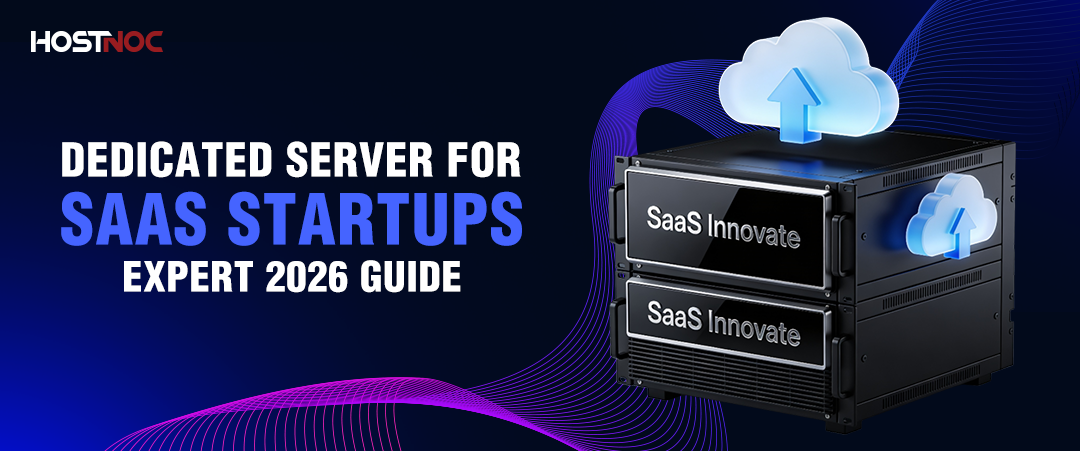
A dedicated server for SaaS startups with predictable traffic, compliance requirements, or high-performance needs. It delivers better cost efficiency than cloud at scale, full hardware control, and consistent performance without shared resource limitations.
Key Takeaways:
- Dedicated servers allocate 100% of physical hardware to one tenant, eliminating the “noisy neighbor” effect that degrades performance on shared infrastructure.
- Full root access enables custom configuration of any framework, runtime, web server, or DevOps toolchain.
- Hardware-level data isolation satisfies HIPAA, GDPR, PCI-DSS, and SOC 2 requirements that cloud multi-tenancy cannot match.
- Fixed monthly pricing becomes more cost-efficient than cloud at sustained utilization above 65%, typically from $150 to $500 per month for production-grade configurations.
- Managed dedicated server plans cover OS updates, security patches, and 24/7 monitoring, making bare-metal infrastructure viable without a full DevOps team.
- Vertical and horizontal scaling through CPU or RAM upgrades, load balancers, and multi-node architecture keep infrastructure aligned with user growth.
What is a dedicated server for SaaS startups?
A dedicated server for SaaS startups is a physical hosting solution where one company controls the entire machine. Every compute cycle, every gigabyte of memory, and every I/O operation serves that single product. For SaaS companies, this translates into 4 concrete advantages: consistent sub-200ms application response times, full configuration control over the software stack, hardware-level compliance for regulated industries, and predictable infrastructure costs that outperform cloud pricing at scale.
5 citable facts:
- Dedicated servers reduce application latency by up to 30% compared to equivalent virtual machine configurations due to the absence of hypervisor overhead.
- A SaaS product serving 50,000 monthly active users on dedicated infrastructure costs approximately 40% less per month than an equivalent AWS configuration at the same utilization level.
- HIPAA’s Physical Safeguard standards require data to be stored on hardware inaccessible to other organizations, a requirement that dedicated servers satisfy and shared cloud instances do not.
- NVMe SSDs deliver read and write speeds 5 to 7 times faster than SATA SSDs, reducing database query times for data-intensive SaaS applications.
- Entry-level dedicated servers start at approximately $60 to $100 per month, comparable to mid-tier VPS plans but with full hardware exclusivity.
What Is a Dedicated Server?
A dedicated server is a physical machine reserved exclusively for one client, with no virtualization layer that splits resources among tenants. Unlike shared hosting, where multiple websites share the same CPU and RAM, or a VPS, which partitions a single physical server into multiple virtual instances, a dedicated server allocates 100% of its hardware to a single product, as explained in this best dedicated server guide.
For SaaS startups, the distinction is operational, not just technical. A billing platform processing financial transactions, a healthcare portal storing patient records, or a real-time collaboration tool serving thousands of concurrent sessions all require infrastructure that performs consistently at every load level, not just when neighboring tenants happen to be idle.
Why SaaS Startups Use Dedicated Servers?
1. Performance and Speed That Reduces Churn
Latency directly reduces revenue in SaaS products. A 1-second delay in page response decreases conversions by 7%. Dedicated servers eliminate virtualization overhead and resource contention, the two primary causes of latency spikes on shared infrastructure.
4 SaaS use cases where dedicated performance is non-negotiable:
- Real-time collaboration tools such as document editors and design platforms require sub-100ms round-trip times for a seamless multi-user experience.
- Fintech SaaS platforms processing live payment transactions cannot tolerate processing delays caused by another tenant’s workload spike.
- Analytics dashboards querying datasets with millions of rows benefit from full NVMe I/O throughput with no I/O queue sharing.
- Video conferencing integrations rely on consistent network throughput that shared bandwidth cannot guarantee during peak usage.
2. Full Configuration Control for Custom Stacks
Root access on a dedicated server means the entire software environment matches the exact product requirements. There are no restrictions from a hosting provider’s shared kernel or a cloud provider’s managed service constraints.
A SaaS team with full server control can take 5 actions unavailable on managed cloud platforms:
- Install any runtime version, including Node.js LTS, Python 3.12, or Ruby 3.3, without waiting for provider support.
- Tune Nginx or Apache worker processes, connection limits, and cache settings to match actual traffic patterns.
- Implement CI/CD pipelines with Jenkins, GitLab CI, or GitHub Actions connected directly to production deployment targets.
- Configure a full observability stack using Prometheus for metrics collection, Grafana for dashboards, and Alertmanager for incident routing.
- Automate provisioning and configuration drift detection with Ansible playbooks or Terraform modules.
3. Data Security and Regulatory Compliance
Hardware-level isolation on a dedicated server removes the adjacent-tenant attack surface entirely. There is no shared kernel, no shared memory bus, and no hypervisor layer that a compromised neighboring VM could exploit to reach data on the same physical host.
SaaS companies in regulated industries face 4 primary compliance frameworks, each with requirements that dedicated servers satisfy:
| Framework | Industry | Requirement Satisfied by Dedicated Servers |
|---|---|---|
| HIPAA | Healthcare SaaS | PHI stored on hardware inaccessible to other organizations |
| PCI-DSS | Fintech and e-commerce SaaS | Cardholder data is isolated from shared hosting environments |
| GDPR | Any SaaS serving EU users | Data residency control through specific data center selection |
| SOC 2 | Enterprise SaaS, any sector | Documented access controls and physical hardware isolation |
Additional security capabilities that dedicated infrastructure supports include enterprise-grade stateful firewalls, volumetric DDoS mitigation, intrusion detection systems, and hardware security modules for cryptographic key management, especially when using a dedicated server with DDoS protection.
4. Scalability Architecture for Growing Products
Dedicated servers scale in 2 directions as a SaaS product grows. Vertical scaling upgrades CPU, RAM, or storage on the existing machine. Horizontal scaling deploys additional servers behind a load balancer, distributing traffic across dedicated application, database, and caching tiers.
A production architecture for a mid-stage SaaS product on dedicated infrastructure typically uses these 5 layers:
- Load balancer: Nginx, distributing inbound requests across application servers
- Application tier: 2 dedicated servers running the product’s backend runtime
- Database tier: Primary PostgreSQL server with a synchronous hot standby replica
- Caching tier: Redis instance on a dedicated node for session management and API response caching
- Backup tier: Automated nightly snapshots to an off-site storage endpoint
This architecture delivers high availability, horizontal performance scaling, and clear compliance documentation at a predictable monthly cost.
Dedicated Server vs Cloud Hosting
Both options serve different stages and workload profiles. The table below presents a direct comparison for SaaS decision-makers evaluating infrastructure options, often summarized as dedicated server vs cloud server when choosing the right infrastructure strategy.
| Feature | Dedicated Server | Cloud Hosting (AWS, GCP, Azure) |
|---|---|---|
| Performance | Consistent bare-metal throughput | Variable due to hypervisor overhead |
| Pricing model | Fixed monthly cost | Pay-as-you-go, increases with utilization |
| Cost at scale | More efficient above 65% sustained utilization | Expensive at consistent high utilization |
| Configuration control | Full root access, hardware-level | Limited to VM and managed service configurations |
| Scaling speed | Manual provisioning within hours | Instant auto-scaling |
| Data isolation | Physical hardware isolation | Logical isolation on shared hardware |
| Compliance suitability | High: HIPAA, PCI-DSS, SOC 2 | Varies by region and service tier |
| Best for | Predictable workloads, regulated industries | Variable traffic, early-stage product exploration |
The practical decision framework: If monthly cloud bills exceed $3,000 to $5,000 with consistent utilization above 65%, or if enterprise customers request SOC 2, HIPAA, or PCI-DSS compliance documentation, dedicated server infrastructure delivers better economics and a cleaner compliance posture.
Dedicated Server vs VPS: 4 Key Differences
A Virtual Private Server partitions one physical machine into multiple virtual instances, sharing CPU and RAM. A dedicated server gives one tenant the entire physical machine.
- Resource allocation: A VPS shares CPU threads and RAM with other VMs on the same host. A dedicated server allocates 100% of resources to one tenant.
- Performance predictability: VPS performance fluctuates when neighboring instances spike resource usage. Dedicated servers deliver consistent throughput regardless of adjacent workloads.
- Security isolation: VPS instances share a hypervisor. Dedicated servers have no adjacent tenant attack surface at the hardware level.
- Cost efficiency at scale: VPS hosting costs less at low utilization. Dedicated servers produce better cost-per-compute ratios at sustained high utilization.
When evaluating dedicated vs. VPS hosting, the key differences come down to performance consistency, isolation, and long-term scalability. For SaaS products processing more than 10,000 daily active users or handling regulated personal data, a dedicated server is the operationally appropriate choice.
Key Features to Evaluate in a Dedicated Server Provider
Hardware Specifications
The physical hardware determines the performance ceiling of every layer in the SaaS stack.
- Processor: Latest-generation Intel Xeon or AMD EPYC CPUs with high core counts for concurrent request processing and background job workloads
- Memory: ECC RAM detects and corrects single-bit memory errors, which is critical for database servers processing long-running transactions
- Storage: NVMe SSDs deliver read and write speeds 5 to 7 times faster than SATA SSDs, directly reducing database query latency and application cold-start times
- RAID configuration: RAID 10 provides both redundancy and read performance improvements, protecting against single-disk failures without sacrificing throughput
Network Performance and Uptime
- 99.99% uptime SLA translates to fewer than 53 minutes of unplanned downtime per year, the minimum acceptable threshold for production SaaS infrastructure
- Multiple Tier-1 bandwidth providers ensure routing redundancy and consistent throughput during upstream network events.
- Global data center locations reduce round-trip latency for end users by placing compute resources geographically close to the user base.
Managed vs Unmanaged: Choosing the Right Operational Model
| Option | Best For | What Is Included |
|---|---|---|
| Managed dedicated | Startups without dedicated sysadmins | OS updates, security patches, server monitoring, and incident response |
| Unmanaged dedicated | Teams with in-house DevOps engineers | Full control, lower monthly cost, no provider-side management |
Support Quality
Round-the-clock technical support through live chat, email, and phone reduces mean time to recovery during production incidents. Providers with dedicated account managers and priority escalation tiers deliver faster resolution during product launches and high-traffic events.
Automation and API Access
Advanced SaaS teams benefit from bare metal provisioning APIs, remote KVM console access, and custom OS installation support that integrate with existing infrastructure-as-a-code workflows and reduce manual provisioning time. Understanding managed vs unmanaged server options is essential for selecting the right operational model that aligns with your team’s technical capabilities and workload requirements.
Top Dedicated Server Providers for SaaS Startups
5 providers worth evaluating, each suited to a different operational profile:
- HostNoc: Affordable dedicated server plans with reliable hardware and 24/7 support, suited for startups prioritizing cost-efficient bare-metal performance without enterprise overhead.
- OVHcloud: Wide hardware configuration range with global data center presence across Europe, North America, and Asia-Pacific, suited for startups requiring geographic distribution.
- Liquid Web: Excellent managed hosting services with SaaS-specific support documentation, suited for technical teams without dedicated infrastructure expertise.
- Leaseweb: Enterprise-grade dedicated infrastructure with strong scalability options, suited for fast-growing SaaS products approaching Series A or B scale.
- IBM Bare Metal Servers: Hybrid cloud deployment capability with direct integration into IBM Cloud services, suited for SaaS startups requiring connection to enterprise-grade managed databases or AI services.
Real-World Architecture: Healthcare SaaS on Dedicated Infrastructure
A B2B SaaS company serving 50,000 monthly active users in the healthcare sector runs the following stack on dedicated servers:
- 2 application servers running Node.js with PM2 process management, behind an Nginx load balancer with SSL termination
- 1 primary PostgreSQL database server with 64GB ECC RAM and 2TB NVMe RAID 10 storage
- 1 read replica handling reporting queries, reducing load on the primary by 40%
- 1 Redis server managing session tokens and caching frequent API endpoint responses
- Automated nightly backups with 30-day retention to a geographically separate storage node
This configuration delivers sub-200ms API response times at peak load, satisfies HIPAA Physical and Technical Safeguard requirements, and costs approximately 40% less per month than an equivalent AWS configuration at the same sustained utilization.
When to Move from Cloud to Dedicated Infrastructure
3 clear indicators that a SaaS product is ready for dedicated servers:
- Monthly cloud infrastructure bills exceed $3,000 to $5,000 with sustained utilization consistently above 65%, making fixed dedicated costs more economical.
- Enterprise customers begin requesting HIPAA, SOC 2, or PCI-DSS compliance documentation that requires demonstrable hardware-level data isolation.
- Performance profiling reveals latency spikes during peak usage that cloud-native optimization and instance upgrades do not resolve, pointing to hypervisor overhead as the root cause.
Conclusion
A dedicated server for SaaS startups offers 4 synergistic benefits: bare-metal performance that ensures user experience, complete configuration management that helps develop products faster, hardware-level security that meets enterprise compliance standards, and predictable infrastructure costs that beat cloud pricing at scale.
There is a perfect time to consider dedicated infrastructure: when performance or compliance issues prompt a desperate switch due to constraints. Dedicated infrastructure is highly valuable for SaaS applications in the health care, finance, legal technology, or any other industry dealing with sensitive personal information. Applications with stable workloads operating at more than 65% capacity gain economically.
Compare your existing infrastructure according to 3 parameters: workload predictability, compliance needs, and performance standards. If any of those indicate constraints within your infrastructure preventing further scaling, consider dedicated servers as an essential piece of your roadmap.
When your brand deserves 100% power, don’t settle for 50% sharing.
Cores
RAM
Storage
Location
Monthly Price
Link
No products found.
Frequently Asked Questions About Dedicated Server for SaaS Startups

What is a dedicated server for SaaS startups?
A dedicated server for SaaS startups is a physical machine reserved exclusively for one company’s application, database, and infrastructure workloads. Every hardware resource, including CPU cores, RAM, storage, and network bandwidth, serves that single product with no sharing across tenants.
Is a dedicated server better than cloud hosting for SaaS?
Dedicated servers outperform cloud hosting for SaaS products with predictable workloads and compliance requirements. Cloud hosting suits early-stage startups with variable traffic because it scales instantly without upfront commitment. Dedicated servers suit products with consistent high utilization because they deliver more compute per dollar and full hardware isolation.
How much does a dedicated server cost for a SaaS startup?
Entry-level dedicated servers start at $60 to $100 per month. Production-grade configurations with high core counts, ECC RAM, and NVMe storage range from $150 to $500 per month. Managed plans add $50 to $150 per month for OS management, security patching, and monitoring.
Do dedicated servers support HIPAA and GDPR compliance?
Yes. Dedicated servers satisfy HIPAA Physical Safeguard requirements by storing protected health information on hardware inaccessible to other organizations. GDPR compliance is achievable by selecting data centers within EU jurisdictions and implementing documented access controls and encryption at rest.
What is the difference between a dedicated server and a VPS?
A dedicated server gives one customer exclusive access to an entire physical machine. A VPS partitions the same machine into multiple virtual instances, sharing CPU and RAM. Dedicated servers deliver higher performance, stricter security isolation, and more predictable throughput. VPS solutions cost less at low utilization but share underlying hardware resources.
When should a SaaS startup move from a VPS to a dedicated server?
3 triggers indicate the right time to upgrade: monthly active users exceeding 10,000, compliance requirements from enterprise customers demanding hardware isolation, or sustained performance degradation during peak usage that VPS resource limits cannot resolve.
Can a small SaaS startup afford a dedicated server?
Yes. Entry-level dedicated servers are available for under $100 per month, comparable to mid-tier VPS plans. Managed dedicated options remove the requirement for in-house server administration, making bare-metal infrastructure accessible to early-stage teams without a full DevOps function.
What server specifications does a SaaS startup need?
A SaaS startup processing moderate traffic needs at minimum: an 8-core processor, 32GB ECC RAM, 500GB NVMe SSD storage, a 1Gbps network port, and a 99.99% uptime SLA. Database-intensive applications benefit from higher RAM allocations and RAID 10 storage configurations.

Muhammad Osama
Featured Post
n8n Workflows for Businesses: A Comprehensive Guide
A complete guide to n8n workflows for businesses: how they work, core...

20 Best Free n8n Templates (By Use Case)
Discover 20 free n8n templates by use case, from AI email triage...
n8n Hosting for AI Automation: Why HostNOC Is Built for Reliable, Scalable AI Workflows
Learn why reliable n8n hosting matters for AI automation and how HostNOC...
Follow us on:


Get the Latest News & Deals
Sign up to receive the latest news, updates and special offers from HostNOC.
I'd like to receive: